
AI SOFTWARE PayKickstart
TalkingPhotos Review 2026: AI Talking Photo Videos, Features & Limits
AI talking photos, singing avatars and motion — features, packages and limits explained
Sponsored link authorized by the publisher; affiliate tracking and merchant checkout conditions have not been independently verified.
Quick verdict
A focused animated-character toolkit with important quality, consent, package and fair-use considerations.
Who it may suit
Creators comparing features, workflows and their own production needs.
Potential strengths
- Vendor-documented variety of talking and singing character types
- Tutorials cover motion, multilingual narration and editing
Check carefully
- All-Access 60-video daily fair-use policy qualifies unlimited claims
- Basic and All-Access vary by clip duration and capabilities
What can you do with this tool?
Illustrative workflows, not first-hand performance guarantees.
Fictional brand mascots
Create short animated narrators for authorized promotional stories.
Educational characters
Produce animal or cartoon lessons with human fact checking.
Original music performances
Create animated fictional singing videos with licensed songs.
Key features worth exploring
Vendor-described functions, with the checks buyers should make before relying on them.
Talking photos
Animate permitted images with speech or recordings.
Animal and cartoon voices
Create original mascot, animal and fictional character performances.
Singing and dancing
Use licensed audio to animate musical characters.
Motion replication
Apply an authorized reference gesture and inspect results.
Face and avatar swap
Make compliant persona variations with consent.
Multilingual speech
Check language, pronunciation and audio rights.
Clip editor and storyboard
Join scenes, trim video and proofread captions.
Package-specific exports
Confirm individual-video duration and current limits.
How the workflow works
Suggested evaluation sequence; actual controls and package options may vary.
Prepare source imagery
Use owned character art or a consented portrait.
Create lawful dialogue
Prepare and proofread original script or voice audio.
Generate and inspect
Check lip movement, identity continuity and visual artifacts.
Edit and export
Merge scenes, add captions and confirm tier limitations.
Ready to explore TalkingPhotos?
See current features, package terms, licensing and refund details on the vendor website. This review does not guarantee availability or outcomes.
Sponsored link authorized by the publisher; affiliate tracking and merchant checkout conditions have not been independently verified.
Affiliate disclosure: This vendor-source-based buyer guide contains sponsored affiliate links. We may receive a commission from qualifying purchases. We do not claim independent hands-on testing or guaranteed results.

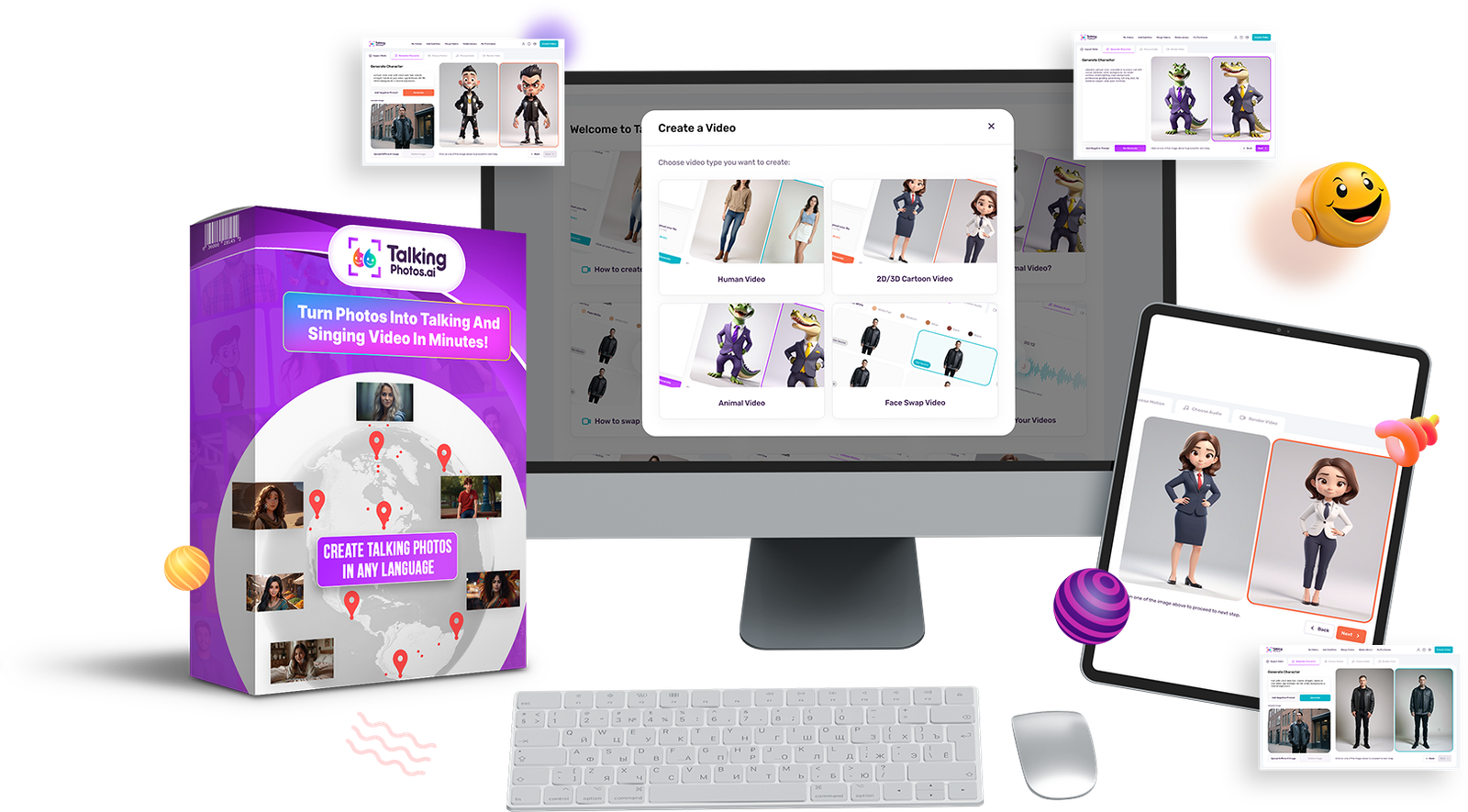
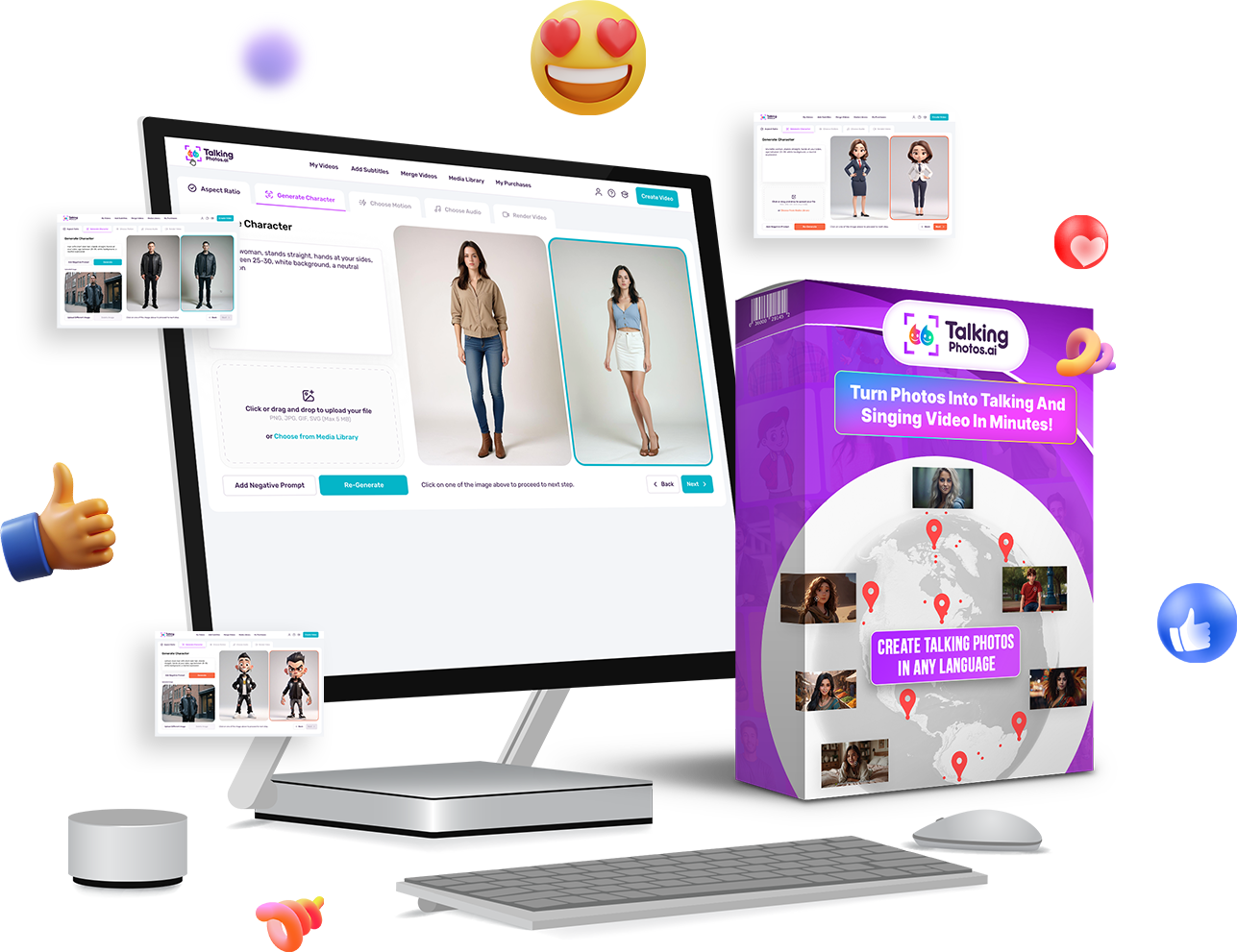
Official vendor-affiliate TalkingPhotos promotional illustration, not an independently measured output. Check current TalkingPhotos packages, features and terms.
Special Savings for Top Deal Discoveries Readers
We have a promotional code selected for Top Deal Discoveries readers. Copy it, explore the product and check the discount at checkout.
TalkingPhotos
Animated photos, talking images and lip-synced creative clips.
OCTOBERApply one code at checkout; promotions may not stack or cover every plan. Check the applied discount before payment.
TalkingPhotos review: what this software offers
This TalkingPhotos review examines software for transforming authorized still images into speaking, singing, dancing or moving character videos. The vendor advertises tools for human portraits, cartoons, animals, fictional mascots, avatar swapping, motion replication, narration and combining scenes. Unlike a conventional editor that begins with footage, many of these workflows begin with a single picture and ask the character to perform.
The practical question is not whether a dramatic vendor demonstration looks convincing. It is whether the product helps you complete an actual short video with acceptable visual continuity, lawful source material and a predictable amount of editing. Our analysis is based on official product descriptions, its tutorial index and its terms. We have not performed hands-on rendering tests or measured output quality.
Quick verdict and the best-fit creator
TalkingPhotos may suit social creators, educators, musicians and small businesses that need animated fictional narrators or short character performances. Its training catalog covers human, animal, cartoon, singing and dancing modes as well as trimming, merging and captions. A focused character-animation workflow could be more convenient than assembling several unrelated apps if the finished video meets your requirements.
It may not suit an agency requiring documentary accuracy, legally exclusive visuals, uninterrupted feature-film continuity or impersonations of real clients. Identity rights and the reliability of lip timing are central buying questions. Evaluate two or three finished clips in your actual niche and include failed generations, licensing review and manual editing in the total production effort.
Talking photo animation and lip synchronization
The central workflow pairs a licensed or generated image with text-to-speech, a recording or uploaded audio. The software then attempts to animate facial expressions and mouth movement in time with the voice. The vendor promotes highly accurate lip synchronization, but the current source material does not provide an independent benchmark for different accents or difficult source photographs.
Choose an image with a visible mouth and a short clear script. Inspect the entire clip for changing identity, odd teeth, warped facial edges and speech that no longer matches motion. A twenty-second recording with natural pauses is a more sensible starting test than a multi-minute speech. Never pass generated dialogue off as something a real person actually said.
Human avatars, expressions and full-body movement
The vendor also advertises full-body characters, gestures and emotional expressions. These capabilities may help a fictional presenter feel more dynamic than a static talking head. More moving body parts introduce extra opportunities for visual errors, especially in hands, clothing and shoulders, so apparent realism should be evaluated over the whole shot rather than a single frame.
For an initial test, generate one original character with a neutral posture and a short explanation. Look at the beginning, midpoint and end for consistent facial features and anatomy. If the character represents a real person, obtain explicit permission to animate their appearance and ensure viewers are not misled into believing they participated in a real recording.
Animal, cartoon and fantasy characters
The special-offer page and TalkingPhotos 3.5 tutorials cover cartoon figures, animals, talking objects and fantasy personas. These may suit children’s stories, a fictional brand mascot, humorous short videos or illustration-led education. A stylized character can tolerate exaggerated movement more naturally than a photorealistic face, though the requirements for clear narration remain the same.
Create several clips from the same original character reference. Compare colors, clothing, markings, eye shapes and proportions between scenes. Do not assume the product will preserve a mascot’s identity without occasional manual review. For classroom and children’s content, check every generated script and visual for suitability and factual accuracy before publishing it.
Singing and dancing videos
The vendor markets AI singing and dance modes and describes improved lip synchronization in 2026 promotional materials. Its tutorials also cover working with audio songs. These workflows may be attractive to a musician making visuals for an original recording or a creator developing a fictional performer rather than filming a live singer.
Test a short licensed musical excerpt. Watch whether the mouth follows the actual vocal phrasing, including pauses, rather than simply moving to the beat. In dance footage, examine the hands and feet throughout the motion. The ability to animate a song does not itself supply rights to the recording, composition or another singer’s recognizable voice.
View Current TalkingPhotos Offer ↗
Sponsored affiliate link; we may earn a commission from qualifying purchases.
Replicate Motion and avatar actions
The training library documents motion replication in TalkingPhotos 3.5, and the sales page promotes avatar actions and movement transfer. The idea is to use a reference gesture or action as a basis for moving another character. It could be useful when a creator wants to try several fictional presenters performing similar simple actions without re-recording every scene.
The terms require lawful rights to reference material and do not authorize copying another person’s protected performance or likeness. Test the feature with a gesture you filmed yourself and a fictional avatar. Review timing, perspective, hands and spatial continuity; motion that seems right in the first seconds can break as an action finishes.
Face Swap, Avatar Swap and identity permissions
Face Swap and Avatar Swap are marketed as ways to replace the visible persona in a scene. They are different from merely animating an existing picture because they modify who appears to be performing. Useful applications might involve variations on an original fictional character or a consented professional spokesperson.
The seller’s terms restrict unauthorized celebrity, public-figure and recognizable-person likenesses, impersonation and misleading content. A face swap is not proof of permission and should not manufacture an endorsement. Keep written authorization when using a real person’s face, disclose synthetic performances where appropriate and inspect hair boundaries, angles and continuity over the complete clip.

Text-to-speech, voice uploads and multilingual content
The vendor describes text-to-speech, uploaded audio, in-app recording, multilingual videos and an integration with CloneVoiceAI. The tutorials cover speech, audio uploads, voice recording and the integration separately. These methods let a creator decide whether to use an artificial voice or to animate a recording for which they already possess the rights.
Check numbers, names, punctuation, timing and dialects; advertised language breadth is not independent evidence of natural pronunciation in every language. Have difficult translations reviewed by a fluent speaker. Cloning or using a recognizable voice requires clear consent. Avoid generating false statements in someone else’s voice even if an interface technically permits the upload.
Storyboard, clip trim, captions and export
A finished short video often needs more than one animated shot. TalkingPhotos documents a storyboard, merging scenes, clip trimming, subtitles, resizing and other production utilities. The tutorial catalog also names a clip-trim tool update. These may help structure a simple story without leaving the application for every small adjustment.
Build a three-scene video: a brief introduction, one useful explanation and a concise conclusion. Check subtitles on a mobile device, including interface-safe margins. Review whether a longer storyboard project is assembled from shorter renders or truly one long generated take. Those are distinct workflows and their limits may differ by package.
TalkingPhotos 3.5: documented March 2026 changes
The official tutorial index dates TalkingPhotos 3.5 to March 6, 2026, and associates it with human, cartoon, animal and singing workflows, motion replication and an Artistly integration. The same index references a January 8, 2026 integrated Clip Trim release and a prior TalkingPhotos 3.0 launch in December 2025.
Those are useful update records, but they are not independently measured proof of improvements or a guarantee that every feature belongs to all tiers. Owners should compare the current app against the tutorials associated with their account. We would publish a separate update article only where a documented release addresses a specific problem or explains a genuinely new workflow.
Basic versus All-Access package comparison
The checked seller offer advertises a Basic one-time plan at a promotional reference price of $49 and an All-Access option at $97. The comparison table lists a one-minute-per-video allowance for Basic talking videos. All-Access lists up to five minutes for a talking video and up to three and a half minutes for a singing video, along with a broader group of features.
These amounts and allowances are a snapshot of the seller’s materials, not a verified quote for every checkout. Check exact modules, upgrades, taxes and refund conditions when you purchase. In particular, longer scenes, advanced character actions and more complex editing may make a higher package relevant; do not assume everything shown in the training catalog is included in Basic.
Unlimited video marketing versus 60-per-day fair use
The word ‘unlimited’ appears prominently in the marketing. The same special-offer FAQ, however, specifies that All-Access is subject to a fair-use policy allowing 60 videos per day to prevent abuse and bots. That distinction matters more than the headline for anyone planning repetitive production or client work.
Sixty daily renders may be more than an occasional creator needs, but it is still a constraint for an agency attempting hundreds of variations. Verify whether failed renders are counted and how different modules share usage; the checked FAQ does not independently settle every operational question. A one-time purchase does not mean guaranteed unrestricted computing resources forever.
View Current TalkingPhotos Offer ↗
Sponsored affiliate link; we may earn a commission from qualifying purchases.
Licensing, copyright and refund policy
The vendor promotes commercial-use options, no-monthly-fee promotional plans and a thirty-day money-back guarantee. Check the current offer and legal terms rather than treating a review or an older screenshot as a binding contract. Save the order confirmation and package description, and verify the refund process before paying.
The terms place responsibility on the user for photo, audio, voice and reference-video permissions. They also warn that AI outputs can be inaccurate or resemble protected material. Commercial rights in generated video do not confer ownership of somebody else’s face, song, trademark or recording. An authentic customer testimony cannot be replaced with synthetic speech falsely attributed to the customer.
Practical workflow: thirty-second talking mascot
Create an original mascot and write a sixty-word script explaining one simple topic. Generate a twenty- to thirty-second talking clip and check whether the design remains recognizable. Look closely at the lip movement around pauses and difficult words, and note whether the tool introduces unwanted objects or changes the character’s clothes.
If your plan includes merging or trimming, create two related scenes and assemble a short vertical explainer. Add captions and check the final export with sound disabled. Time the process from prompt writing to a usable MP4; count the number of failed attempts. This is a realistic way to compare software value instead of relying on promotional example footage.
Practical workflow: multilingual teaching video
Prepare a short factual educational script and a reviewed translation in another language. Use a fictional teacher or consenting actor’s image, and record or generate properly authorized speech. Produce two localized clips using the same character reference and compare mouth timing, punctuation, captions and pronunciation.
A competent language reviewer is useful when you cannot assess the voice yourself. The fact that an animated narrator sounds fluent does not make the historical, scientific, medical or financial content correct. Validate the instructional facts separately before sharing the clip, and check that captions stay readable on mobile screens.
Practical workflow: singing character and music clips
Choose a short original or fully licensed audio excerpt and a fictional character design. Animate a singing segment and inspect synchronization where syllables move quickly or stop suddenly. Review face shape, hands and costume consistency; an attractive musical performance can still contain errors that become obvious when replayed.
Use only the length supported by your package and the specific singing mode, not the general talking-video limit. If you assemble several shots, additional manual cuts may be needed. A software license does not automatically grant rights in a composition, performance, music video or recognizable singer’s voice.
How TalkingPhotos compares with complementary software
TalkingPhotos focuses on bringing pictures and characters to life through speech, music and motion. Our VideoExpress review examines a broader text-to-video and editing toolkit; the two products address overlapping but distinct creative problems. Choose based on whether you begin with a character image or need to construct footage.
The Artistly image design review covers still-image generation, illustration and graphics. TalkingPhotos’ training catalog mentions an Artistly integration, but that does not prove identical entitlements or that a purchase of one software includes the other. Assess each plan against a distinct, measurable production need.
Pros, limitations and risks to investigate
Potential benefits include a clear character-animation focus, many documented styles, narration tools, motion features and in-app assembly options. Those are product capabilities described by the seller. They may be useful to people creating social storytelling, cartoon narrators and entertainment videos, provided the outputs are acceptable after editing.
Limitations worth investigating include motion artifacts, lip-sync variations, longer-shot continuity, tier differences, usage policies and account availability. No independent render-speed, uptime, support-quality or conversion test was performed for this guide. A purchasing decision should be based on a sample workflow and the live license rather than an unsupported guarantee of virality or income.
Buyer checklist before purchasing
Identify your primary goal: human spokesperson, fictional talking mascot, animal narrator, singing character or motion-replicated avatar. Verify that your package contains the corresponding function and supports the individual clip duration you need. Review the All-Access fair-use allowance, commercial rights, consent, watermark claims and refund conditions.
Prepare a short source image, a lawful voice or soundtrack and a real production brief so you can evaluate the purchased tools promptly. For live package features and checkout conditions, review the TalkingPhotos offer. This is a sponsored publisher-provided link, not an automatic redirect.
View Current TalkingPhotos Offer ↗
Sponsored affiliate link; we may earn a commission from qualifying purchases.
Frequently asked questions
What does TalkingPhotos create? The documented workflows include talking human, animal, cartoon, object and fantasy characters, with singing and dancing options. Can I use my own audio? Vendor tutorials describe uploading and recording audio and text-to-speech. You need permission for recognizable voices and music.
What are the clip length limits? The checked sales page lists Basic at one minute per talking video, with All-Access at up to five minutes talking and 3.5 minutes singing. Is it unlimited? The All-Access FAQ states fair use of 60 videos per day. Was the software independently tested here? No; this is a vendor-source-based buyer guide with practical evaluation steps.
Final recommendation and source notes
TalkingPhotos deserves consideration when a production genuinely needs to transform a static portrait, cartoon or original character into a speaking, singing or moving video. The official tutorials provide clear routes for learning its major categories, and the idea of joining scenes in one environment may appeal to creators working on short projects.
Its value ultimately depends on output quality, repetition and rights. Check the package and daily policy, test your own creative inputs and avoid misleading synthetic likenesses. To compare the current packages, see the publisher’s TalkingPhotos affiliate offer. We do not guarantee earnings, virality, quality or unlimited unrestricted compute.
Advantages & limitations
Advantages
- Vendor-documented variety of talking and singing character types
- Tutorials cover motion, multilingual narration and editing
- Storyboard and clip-trim workflows included in documentation
- One-time promotional packages advertised
Limitations / unknowns
- All-Access 60-video daily fair-use policy qualifies unlimited claims
- Basic and All-Access vary by clip duration and capabilities
- Commercial face, voice and audio rights remain user responsibility
- Rendering quality and support not independently benchmarked
Ready to explore TalkingPhotos?
See current features, package terms, licensing and refund details on the vendor website. This review does not guarantee availability or outcomes.
Sponsored link authorized by the publisher; affiliate tracking and merchant checkout conditions have not been independently verified.