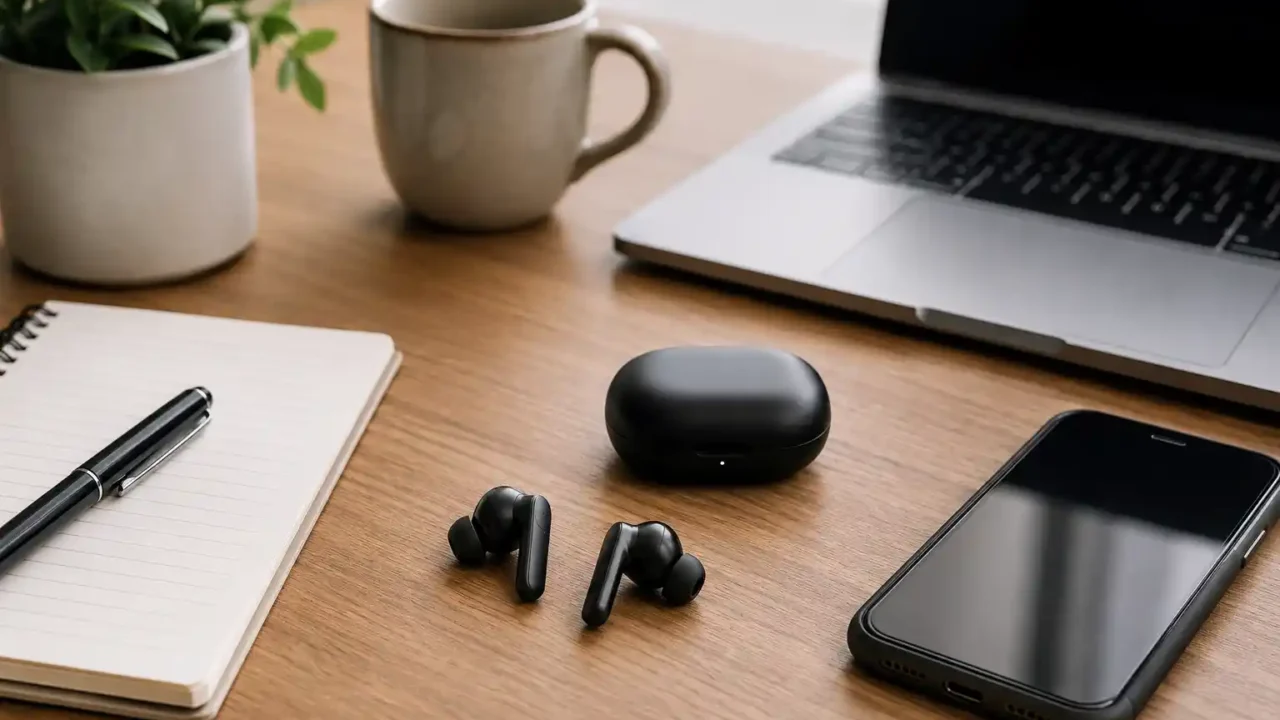
Wireless earbuds look simple from the outside. Two small earpieces, a charging case, Bluetooth, maybe noise cancellation. But once you start comparing them, the choices can get messy fast.
Some earbuds sound great for music but perform badly on phone calls. Some are comfortable for 20 minutes but annoying after two hours. Others have strong noise cancellation but poor battery life. And sometimes the most expensive pair is not the best choice for how you actually use them.
The right wireless earbuds depend less on hype and more on your daily routine. Someone who takes work calls all day needs different features than someone who wants earbuds for flights, gym sessions, podcasts, or quick errands.
This guide breaks down what to check before buying wireless earbuds for work, travel, and everyday use.
Start with how you will use them most
Before comparing brands or prices, think about your main use case.
Ask yourself:
- Will you use them mostly for work calls?
- Do you need them for commuting or travel?
- Will you wear them for long periods?
- Do you care more about music quality or voice clarity?
- Will you use them with an iPhone, Android phone, laptop, tablet, or several devices?
- Do you need noise cancellation, or just simple wireless audio?
This matters because wireless earbuds are full of trade-offs.
A pair that is excellent for workouts may not be the best for Zoom calls. A pair with strong bass may not make voices sound natural. A tiny pair may feel light, but the battery may not last as long. A premium pair may work beautifully with one device ecosystem but feel limited with another.
The best earbuds are not always the “best overall.” They are the best fit for your actual day.
Sound quality matters, but call quality matters more for work
Many buyers focus first on sound quality. That makes sense if you listen to music for hours. But if you plan to use earbuds for work, calls, voice notes, or meetings, microphone quality matters just as much.
For work calls, look for:
- clear voice pickup;
- background noise reduction for microphones;
- stable Bluetooth connection;
- low delay when speaking;
- comfort during longer calls;
- easy mute or touch controls.
A common mistake is buying earbuds that sound good to you but make your voice sound thin, distant, or noisy to others. This becomes a problem fast if you take calls from cafés, airports, cars, shared offices, or busy homes.
If calls are important, read reviews that specifically mention microphone performance. Better yet, look for call samples or user feedback from people who use them for meetings.
For music, you can adjust equalizer settings on many models. For bad microphones, there is usually less you can fix.
Battery life: check the earbuds and the case separately
Wireless earbuds usually advertise battery life in two ways:
- battery life per charge;
- total battery life with the charging case.
Both matter, but they solve different problems.
The per-charge number tells you how long the earbuds last while you are wearing them. This is important for long meetings, flights, study sessions, or travel days.
The case number tells you how many extra charges you can get before plugging the case into a charger.
For everyday use, a good target is:
- at least 5–6 hours per charge;
- 20–30 hours total with the case.
If you use noise cancellation, battery life will usually be shorter. Some earbuds may claim 8 hours, but that number can drop when ANC is turned on or volume is high.
For travel, battery life becomes more important. If you have a long flight or a full day away from a charger, weak battery life can turn a good pair of earbuds into a frustrating purchase.
Also check charging speed. Some cases give around an hour of listening from a short charge. That can be useful if you often forget to charge devices overnight.
Comfort is not optional
Comfort is one of the most underrated parts of choosing wireless earbuds.
A pair can have great sound, strong noise cancellation, and premium features, but if it hurts your ears, you will stop using it.
Comfort depends on:
- earbud shape;
- weight;
- ear tip size;
- how deep the earbuds sit;
- whether they create pressure in your ears;
- how secure they feel while moving.
In-ear earbuds with silicone tips usually offer better isolation and stronger noise cancellation. But some people dislike the sealed feeling. Open-fit earbuds often feel lighter and more natural, but they usually let in more outside noise.
If possible, choose earbuds that include multiple ear tip sizes. A bad fit can reduce bass, weaken noise cancellation, and make the earbuds fall out more easily.
For long work sessions or travel, comfort is not a luxury feature. It decides whether you actually keep wearing them.
Noise cancellation is useful, but not always necessary
Active noise cancellation, often called ANC, can be very useful. It helps reduce steady background noise such as airplane engines, traffic rumble, air conditioners, and office hum.
It is especially useful for:
- flights;
- commuting;
- cafés;
- shared offices;
- busy homes;
- focused work.
But ANC is not magic. It works best with constant low-frequency noise. It may not fully block voices, sudden sounds, or nearby conversations.
Also, stronger ANC can sometimes create a pressure feeling in the ears. Some people love it. Others find it uncomfortable.
If you travel often or work in noisy places, ANC is worth considering. If you mostly listen at home, walk outside, or use earbuds casually, you may not need the strongest noise cancellation.
Also look for transparency mode. This lets outside sound in so you can hear announcements, traffic, or someone speaking to you without removing the earbuds. For everyday use, good transparency mode can be just as useful as ANC.
Check device compatibility before buying
Wireless earbuds may work with many devices, but they do not always work equally well with all of them.
Some earbuds are best inside a specific ecosystem. For example, certain models pair faster, switch devices more smoothly, or unlock extra features when used with matching phones, tablets, or laptops.
Before buying, check:
- Do they work well with your phone?
- Can they connect to your laptop?
- Do they support multipoint connection?
- Is there an app for your device?
- Can you update firmware?
- Are all controls available on your phone type?
Multipoint connection is especially useful for work. It allows earbuds to connect to two devices, such as your phone and laptop, at the same time. That makes it easier to switch between meetings, music, and calls.
If you use both Android and Apple devices, compatibility becomes even more important. Do not assume every feature works everywhere.
Controls should be simple
Touch controls, squeeze controls, and tap gestures can be useful, but only if they are reliable.
Look for controls for:
- play and pause;
- volume;
- answering calls;
- switching ANC or transparency mode;
- skipping tracks;
- activating voice assistant;
- muting during calls, if supported.
Some earbuds skip volume controls on the earbuds themselves, which means you need to adjust volume from your phone or laptop. That may not bother everyone, but it can become annoying during workouts, travel, or work calls.
Good controls should feel natural after a few days. If every action requires remembering complicated tap patterns, the earbuds may become frustrating.
For travel, think beyond sound
Travel earbuds need more than decent audio.
For flights, airports, trains, and hotels, look for:
- strong battery life;
- good ANC;
- comfortable fit for several hours;
- compact case;
- USB-C or convenient charging;
- transparency mode for announcements;
- reliable Bluetooth connection;
- water or sweat resistance for daily movement.
A small case matters more than many people expect. If the case is bulky, you may stop carrying it in your pocket and start leaving it in a bag. That increases the chance of running out of battery.
For travel, it is also smart to carry a short charging cable or a small power bank. Even great earbuds are useless when both the earbuds and case are empty.
Water resistance is useful for everyday life
Even if you do not plan to use earbuds at the gym, water resistance is worth checking.
Look for an IP rating. For example, many earbuds offer basic sweat or splash resistance. This can help with workouts, light rain, hot weather, or everyday accidents.
Water resistance does not mean waterproof. You should still avoid swimming, showering, or exposing the case to water unless the product specifically says it supports that.
Also remember that the earbuds and the charging case may have different protection levels. Sometimes the earbuds are sweat-resistant, but the case is not.
Do not ignore the charging case
The case is part of the product, not just storage.
A good charging case should be:
- small enough to carry easily;
- easy to open;
- secure enough that earbuds do not fall out;
- compatible with your charging setup;
- durable enough for daily use.
Some cases support wireless charging. That is convenient if you already use wireless chargers. Others use USB-C, which may be better if most of your devices already charge that way.
The case also affects how often you use the earbuds. If the case feels cheap, bulky, slippery, or awkward, it can make the whole product feel worse.
Price: pay for features you will actually use
Wireless earbuds range from budget to premium. The best choice is not always the most expensive one.
Pay more if you need:
- strong noise cancellation;
- excellent microphone quality;
- long battery life;
- premium comfort;
- reliable device switching;
- better app support;
- higher-quality sound.
Save money if you only need:
- casual listening;
- podcasts;
- short calls;
- basic commuting;
- backup earbuds;
- a simple pair for daily errands.
It is easy to overpay for features you rarely use. If you do not travel much, you may not need the strongest ANC. If you do not take work calls, microphone quality may be less important. If you only listen during walks, comfort and battery life may matter more than advanced audio codecs.
A smart purchase is not about buying the most advanced earbuds. It is about avoiding the wrong ones.
Wireless earbuds buying checklist
Before buying, check these points:
- Are they comfortable for your ear shape?
- Is the battery life enough for your daily use?
- Is call quality good enough for work or meetings?
- Do they work well with your phone and laptop?
- Do they support noise cancellation if you need it?
- Is transparency mode available?
- Are the controls simple?
- Is the case easy to carry?
- Do they have water or sweat resistance?
- Can you return them if the fit is bad?
- Are replacement ear tips available?
- Is the price reasonable for the features you will use?
If you are choosing between two similar pairs, prioritize comfort, call quality, and battery life. Those are the features you notice every day.
Final thoughts
Wireless earbuds are personal. The best pair for one person may be the wrong choice for someone else.
For work, prioritize microphone quality, comfort, and reliable connection. For travel, look for battery life, noise cancellation, and a compact case. For everyday use, focus on comfort, simple controls, and compatibility with your devices.
Do not buy only because a pair is popular. Buy because it fits how you live, work, move, and listen.
A good pair of wireless earbuds should disappear into your routine. They should make calls easier, travel calmer, and daily listening more convenient — without making you think about them too much.