A comfortable desk does not need to look expensive. It does not need a full redesign, a huge monitor setup, or a perfect office room either.
Most of the time, comfort comes from small changes: raising the laptop a little, improving the light, clearing the cables, adding a better mouse, or making sure the things you reach for every day are actually easy to reach.
That matters because a desk is not just furniture. It is where many people answer emails, take calls, compare products, study, plan, shop, create, and manage daily work. If the setup is awkward, you feel it quickly. Your neck gets tired. Your wrists feel tight. The desk gets messy. Charging cables disappear. The chair feels wrong. The light is either too dim or too harsh.
The good news is that you do not have to buy everything at once. A few practical accessories can make a home office feel calmer, cleaner, and easier to use.
Here are the desk accessories worth considering if you want a more comfortable workspace.
Start with your screen height
One of the biggest problems in a home office setup is screen height.
If your laptop sits flat on the desk, you usually look down at it. That may be fine for a short session, but it becomes uncomfortable over time. A laptop stand or monitor riser can help bring the screen closer to eye level.
A good stand should be:
- stable enough that the laptop does not wobble
- wide enough for your device
- high enough to improve posture
- open enough to allow airflow
- easy to move if your desk is small
For laptops, an adjustable stand is often better than a fixed one. You can change the height depending on your chair, desk, and how long you plan to work.
If you use a monitor, a simple monitor riser can also help. Some risers include small drawers or space underneath for a keyboard, notebook, or accessories. That can be useful if your desk is compact.
The goal is not to create a perfect ergonomic setup overnight. The goal is to stop looking down all day.
Add a separate keyboard and mouse
If you raise your laptop, you will probably need a separate keyboard and mouse. Otherwise your arms will be too high and the setup will feel strange.
A separate keyboard lets you keep your shoulders relaxed and your hands closer to the desk. A separate mouse or trackpad gives you more control than a laptop trackpad, especially if you work for long periods.
When choosing a keyboard, think about:
- size
- key feel
- noise level
- wireless or wired connection
- battery life
- whether you need number keys
- whether it works with your laptop or tablet
A compact keyboard saves desk space. A full-size keyboard is better if you use numbers often. Mechanical keyboards can feel good, but they may be too loud for shared spaces.
For a mouse, comfort matters more than appearance. A mouse that looks sleek but feels uncomfortable after an hour is not a good purchase. If your hand feels cramped, consider a larger mouse or an ergonomic shape.
You do not need the most expensive keyboard and mouse. You need ones that make daily work feel easier.
Use a desk mat to define your workspace
A desk mat is simple, but it changes how a desk feels.
It gives your keyboard and mouse a smooth surface, protects the desk from scratches, and visually creates a working zone. It can also make a desk look more organized without adding clutter.
A good desk mat should be:
- large enough for your keyboard and mouse
- easy to clean
- flat and stable
- comfortable under your wrists
- neutral enough to fit your setup
Leather-style mats can look polished, but they may show marks. Fabric mats can feel softer, but they may collect dust. Rubber-backed mats usually stay in place better.
If your desk feels messy, a mat can help create a boundary. Everything inside the mat becomes the “work area.” Everything outside it is easier to remove.
It is a small accessory, but it can make the desk feel more intentional.
Improve your lighting
Bad lighting makes a desk tiring.
If the room is too dark, your screen becomes harsh. If the light is too bright or placed badly, you get glare. If your face is poorly lit during video calls, you may look tired even when you are not.
A simple desk lamp can solve a lot of these problems.
Look for:
- adjustable brightness
- warm and cool light options
- flexible arm or head
- stable base
- low glare
- enough light for reading or writing
Warm light feels calmer in the evening. Cooler light can feel better during focused work. Adjustable lighting is useful because your needs change during the day.
If you take video calls, place the light in front of you or slightly to the side, not behind you. Backlighting from a window can make your face look dark on camera.
A better lamp is not just about style. It helps your desk feel easier to use for longer periods.
Control cable clutter early
Cables can make even a clean desk feel messy.
Phone charger, laptop charger, headphones, monitor cable, lamp cable, USB hub, external drive, mouse cable — it adds up fast.
Cable management does not need to be complicated. Start with the cables you use every day.
Useful accessories include:
- cable clips
- cable ties
- under-desk cable tray
- adhesive cable holders
- charging dock
- small cable organizer pouch
A cable clip near the edge of the desk can stop charging cables from falling behind the table. Cable ties can bundle wires together. An under-desk tray can hide power strips and longer cables.
Do not overcomplicate it. If a cable is used every day, keep it reachable. If it is rarely used, store it away.
The goal is not to hide every wire. The goal is to stop cables from interrupting your work.
Add a charging station
Many desks now have more than one device on them.
Phone, earbuds, smartwatch, tablet, laptop, power bank. If each one has its own cable, the desk gets crowded quickly.
A small charging station can help keep devices in one place. It can be as simple as a multi-port charger and a few short cables, or a dedicated stand for phone, earbuds, and watch.
A good charging setup should be:
- easy to reach
- safe and reliable
- powerful enough for your devices
- not too bulky
- compatible with your phone case
- simple to unplug when needed
Short cables are useful here because they reduce clutter. A multi-port USB-C charger can also reduce the number of wall adapters you need.
If you charge devices overnight, a charging station on the desk or nightstand can keep everything together. If you work from home, it also makes it easier to keep your phone and earbuds ready during the day.
Keep a notebook nearby
Even in a digital workspace, a notebook still helps.
It is useful for quick notes, call reminders, article ideas, shopping lists, product comparisons, or tasks you do not want to bury inside an app.
A notebook works best when it is easy to reach. If it is hidden in a drawer, you will not use it. Keep it next to your keyboard, under your monitor, or at the side of your desk.
Useful notebook accessories include:
- simple pen holder
- sticky notes
- page markers
- small tray
- document clip
- slim desk organizer
The point is not to create more paper clutter. The point is to give quick thoughts a place to land.
Sometimes writing one task on paper is faster than opening another app.
Consider wrist and arm comfort
Wrist rests are not necessary for everyone, but they can help if your desk setup feels hard or awkward.
A wrist rest can support your hands while typing or using a mouse. But it should not force your wrists into an unnatural position. If it feels too high, too soft, or too stiff, it may create more discomfort than it solves.
Before buying wrist support, check your basic setup first:
- Is the keyboard too high?
- Is the chair too low?
- Are your shoulders raised?
- Is the mouse too far away?
- Are you reaching forward all day?
Sometimes a better keyboard position solves more than a wrist rest.
If you use a mouse heavily, a larger mouse pad or desk mat may help more than a small wrist pad. The goal is smooth movement, relaxed shoulders, and less tension.
Use storage that does not take over the desk
A desk needs storage, but too much storage can become clutter.
Small storage works best when it has a clear job. A tray for daily items. A cup for pens. A drawer organizer for cables. A file holder for papers you actually use.
Good desk storage options include:
- small drawer organizer
- document tray
- pen cup
- cable box
- tech pouch
- monitor riser with storage
- slim desktop shelf
Avoid buying organizers before you know what needs organizing. Otherwise you end up organizing clutter instead of removing it.
A good rule: if something is used daily, it can stay on the desk. If it is used weekly, it can go in a drawer. If it is rarely used, it should not live on the desk at all.
Make video calls easier
If you take video calls, a few small accessories can make them less annoying.
You do not need a studio setup. But you should be able to hear clearly, speak clearly, and look reasonably well-lit.
Useful accessories include:
- earbuds or headset with good microphone
- small desk lamp
- webcam cover
- laptop stand
- simple background setup
- phone stand for backup calls
A laptop stand helps because the camera sits higher. That usually gives a better angle than looking down at the screen. A lamp helps reduce shadows. Earbuds or a headset can improve sound and reduce echo.
Also think about what is behind you. A clean wall, shelf, curtain, or simple corner is usually enough. The background does not need to be fancy. It just needs to avoid distractions.
Add comfort without adding clutter
Comfort does not mean filling the desk with decorations.
A plant, a good mug, a soft desk mat, a small lamp, or a framed photo can make the space feel better. But too many decorative items make the desk harder to clean and easier to clutter.
Choose one or two personal items that make the space feel good without getting in the way.
Good comfort additions include:
- small plant
- coaster
- water bottle
- warm desk lamp
- simple artwork nearby
- comfortable chair cushion
- footrest if your feet do not sit flat
A footrest can be especially useful if your chair and desk height do not match. It helps your feet rest properly instead of hanging or stretching.
The best desk accessories are the ones you notice because they make work easier, not because they take over the desk.
What to buy first
If your desk feels uncomfortable and you want a simple starting point, buy in this order:
- laptop stand or monitor riser
- separate keyboard and mouse
- desk mat
- better desk lamp
- cable clips or cable ties
- multi-port charger
- notebook and pen
- small desk organizer
- phone stand
- earbuds or headset for calls
You do not need everything at once. Start with the problem you feel most often.
If your neck hurts, raise the screen. If your desk is messy, manage cables and storage. If your calls are annoying, improve lighting and audio. If your desk feels cold or unpleasant, add one comfort item.
Good desk upgrades should solve problems, not create a shopping list.
Final thoughts
A better home office setup is not about making your desk look perfect online. It is about making the space easier to use every day.
The most useful accessories are usually simple: a stand, a lamp, a mat, a charger, a few cable clips, a notebook, and storage that actually fits your routine.
Before buying anything, look at your desk and ask what bothers you most. Too much clutter? Bad light? Neck strain? Not enough charging space? Uncomfortable typing? Start there.
A comfortable desk should help you work, read, plan, and think with less friction. It should feel calm, practical, and easy to return to.
That is the real upgrade.
Featured image concept
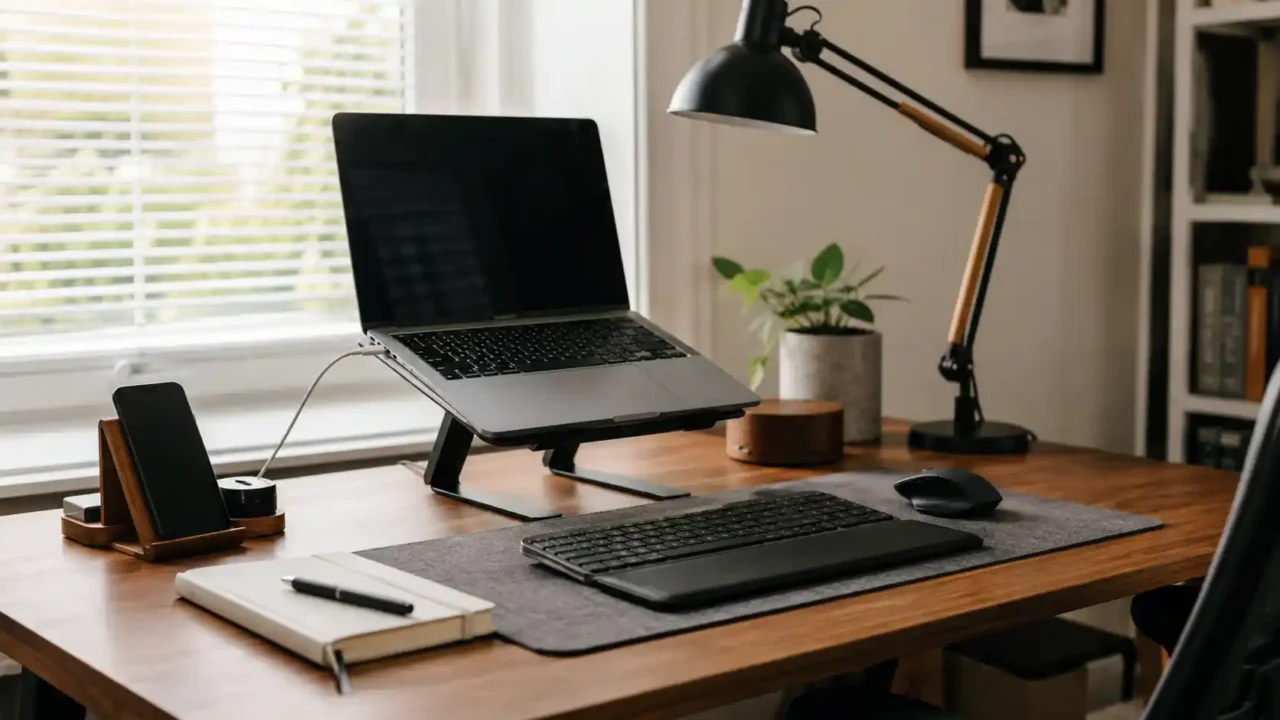
A realistic home office desk setup with a laptop stand, keyboard, mouse, desk mat, warm desk lamp, notebook, cable clips, small plant, and phone stand. Natural light, neutral colors, not too perfect, no text on image, no showroom look.