When people upgrade their phone, most of the attention goes to the device itself. The camera, the screen, the battery, the storage, the color, the price. That makes sense. A new smartphone is usually the expensive part.
But the accessories you choose around it often decide how good the upgrade feels after the first week.
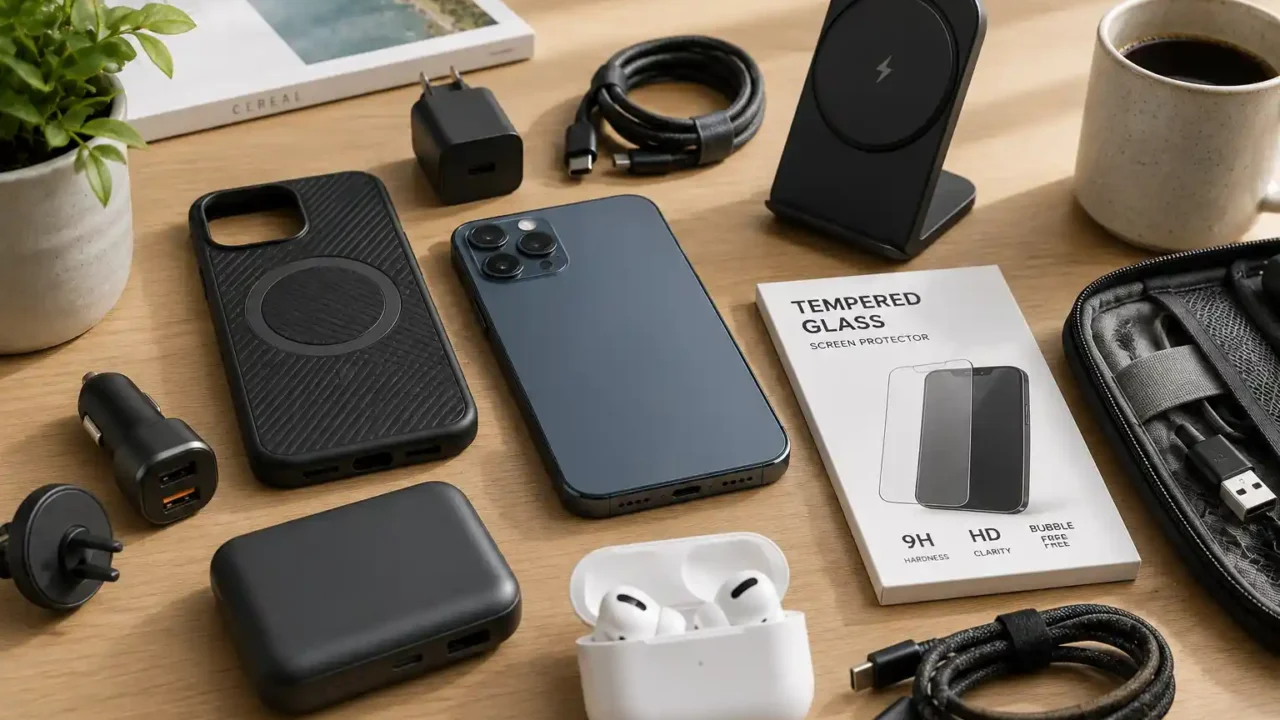
A phone without the right charger, case, cable, screen protector, or backup power can become annoying fast. Maybe the old charger is too slow. Maybe the new phone uses a different cable. Maybe the case arrives late and the phone feels too risky to carry. Or maybe you only notice after a few days that your car, desk, nightstand, and travel bag all need small updates too.
You do not need to buy every accessory on day one. In fact, that is usually how people waste money. The better approach is to think through how you use your phone every day and buy the accessories that solve real problems first.
Here are the phone accessories worth considering before your next smartphone upgrade.
Start with a protective case
A case is usually the first accessory most people buy, and for good reason. A new phone is easiest to damage when you are still getting used to its size, weight, and grip.
The right case should protect the phone without making it uncomfortable to use. Some people want the thinnest case possible. Others need stronger drop protection. There is no perfect case for everyone, but there are a few things worth checking before buying.
Look for:
- raised edges around the screen and camera
- good grip on the sides
- button covers that still feel easy to press
- compatibility with wireless charging
- compatibility with magnetic chargers or mounts if your phone supports them
- enough protection without too much bulk
Clear cases are popular because they show the phone color, but they can yellow over time. Silicone cases often feel better in the hand, but they may collect lint. Rugged cases offer more protection, but they can make the phone feel heavy.
If you only buy one accessory before the phone arrives, make it the case.
Add a screen protector before scratches happen
A screen protector is not exciting, but it can save you from a lot of frustration.
Modern phone screens are strong, but they are not invincible. Keys, sand, rough tables, drops, and daily pocket use can still leave marks. A small scratch on a brand-new phone feels worse than it should, mostly because it happens so early.
Tempered glass protectors are usually the safest choice for most people. They feel closer to the original screen than plastic film and can add a layer of protection against scratches and minor drops.
Before buying, check:
- whether it fits your exact phone model
- whether it leaves enough room for your case
- whether it supports fingerprint unlocking if your phone uses an in-screen sensor
- whether it includes an alignment frame
- whether it has an oleophobic coating to reduce fingerprints
A cheap screen protector can be fine, but bad fit is a problem. If the edges lift or the protector interferes with the case, it will become annoying quickly.
Install it before you start using the phone daily. It is much easier to apply a protector to a clean, fresh screen than after a week of fingerprints and dust.
Check whether your old charger is still enough
Many phones no longer include a charger in the box. Even when they do, the included charger may not be the fastest option.
Before upgrading, check what kind of charging your new phone supports. Some phones charge faster with USB-C Power Delivery. Others have brand-specific fast charging standards. Some support wireless charging. Some support magnetic charging accessories.
A good charger should be:
- safe from a reputable brand
- powerful enough for your phone
- compact enough for your desk, bag, or travel pouch
- compatible with your cable
- useful for more than one device if possible
For many people, a 20W to 30W USB-C charger is enough for daily phone charging. If you want to charge a phone, tablet, earbuds, or laptop from one charger, then a higher-wattage charger with multiple ports may make more sense.
Do not buy the cheapest unknown charger just to save a few dollars. Chargers are not the place to take unnecessary risks. A reliable charger can last across several phone upgrades.
Buy better cables than the one you keep losing
Cables are easy to ignore until you need one.
A phone upgrade is a good time to clean up your charging setup. You probably need more than one cable: one for the bedroom, one for the desk, one for the car, and one for travel.
When choosing cables, check:
- correct connector type
- charging speed support
- data transfer support if needed
- cable length
- durability around the ends
- whether the cable works with your charger and case setup
Short cables are good for power banks and travel pouches. Longer cables are useful near the bed or sofa. Braided cables can be more durable, but they are not automatically better. What matters is whether the cable is reliable and comfortable to use.
If your new phone uses a different port than your old one, do not wait until the first night to discover that your old cables are useless.
A power bank is still one of the most useful accessories
Battery life improves every year, but a power bank is still worth owning.
It is useful for travel, long workdays, commuting, events, airport delays, emergencies, and days when you forget to charge overnight. It is also useful when your phone battery is fine in normal life but struggles during heavy camera, maps, hotspot, or video use.
For most people, a compact power bank is better than a huge one. If it is too big, you will leave it at home.
Look for:
- enough capacity for at least one full phone charge
- USB-C input and output
- fast charging support
- compact size
- clear battery indicator
- built-in cable only if it is well-made
- enough ports for how you actually travel
A 5,000mAh power bank is easy to carry but may not fully charge every phone. A 10,000mAh model is a good middle ground for many users. Larger models are better for travel but less convenient for everyday carry.
If you use your phone for maps, payments, boarding passes, rideshares, or work messages, a power bank is not just a nice extra. It is backup access to the things you depend on.
Consider a car mount or charging setup
If you drive often, your car setup matters.
A phone upgrade can change the size, case thickness, magnetic compatibility, or charging port position. That means your old car mount may not work as well as before.
A good car accessory setup should make your phone easier to use safely, not more distracting.
Useful options include:
- dashboard or vent mount
- magnetic mount
- wireless charging mount
- USB-C car charger
- short car charging cable
- cable clips to reduce clutter
Before buying a car mount, think about where the phone will sit. It should not block your view, your controls, or your air vents in a way that becomes annoying. It should also hold the phone securely with the case installed.
If you use navigation often, a stable mount and reliable car charger are worth buying early.
Wireless charging is convenient, but not always necessary
Wireless charging is one of those features that sounds small until you use it daily.
A wireless charger on a desk or nightstand makes it easy to drop the phone down without searching for a cable. It is especially useful if you charge often in short sessions.
But wireless charging is not always the best choice. It can be slower than wired charging, and some chargers may generate more heat. A thick case or metal accessory can also interfere with charging.
Wireless charging makes sense if:
- your phone supports it
- you want a cleaner desk or nightstand
- you often pick up and put down your phone
- you do not need the fastest possible charging speed
It may not be necessary if you mostly charge overnight or already have a good wired setup.
If your phone supports magnetic alignment, choose a charger that holds the phone properly in place. Bad alignment is one of the most common reasons wireless charging feels unreliable.
Do not forget earbuds and audio accessories
If your new phone does not have a headphone jack, your audio setup may need attention.
Wireless earbuds are the obvious choice, but they are not the only option. Some people still prefer wired USB-C earbuds for calls, gaming, or travel because they do not need charging. Others want a small Bluetooth speaker for home use, or a car audio adapter for older vehicles.
Think about how you listen most often:
- work calls
- commuting
- workouts
- podcasts
- music
- flights
- gaming
- voice notes
If you already have earbuds, check whether they connect smoothly with the new phone. If you are switching from one phone ecosystem to another, some features may not carry over perfectly.
You do not need to replace good earbuds just because you upgrade your phone. But if call quality, battery life, or connection reliability is already bothering you, the phone upgrade is a good time to fix the whole setup.
A phone grip or stand can be more useful than it looks
Large phones are great for reading, video, maps, and multitasking, but they can be awkward to hold.
A grip, ring, strap, or slim stand can make a big difference if you use your phone one-handed or watch videos often. It can also help reduce drops.
Useful options include:
- slim phone grip
- magnetic wallet stand
- foldable kickstand case
- adhesive stand
- desk phone stand
- adjustable bedside stand
The key is compatibility. Some grips interfere with wireless charging. Some stands make the phone too bulky. Some magnetic wallets are convenient but not ideal if you prefer a very slim case.
If you watch videos, take video calls, follow recipes, or keep your phone on your desk, a stand is one of the cheapest accessories that can improve daily use.
Think about storage, cleaning, and small everyday extras
Not every useful accessory is electronic.
Small extras can make your phone easier to carry, clean, and protect over time.
Consider:
- microfiber cloth
- screen cleaning spray
- cable organizer
- travel pouch
- spare SIM tool
- phone lanyard for travel
- waterproof pouch for beach or pool days
- lens cleaning cloth
- small tech organizer bag
These are not must-haves for everyone, but they are practical. A clean screen, organized cables, and a safe travel pouch make the phone feel easier to manage.
If you travel often, a small pouch for charger, cable, power bank, and earbuds can be more useful than buying separate accessories randomly.
What to buy first
If you are upgrading soon and want a simple order of priority, start here:
- protective case
- screen protector
- charger
- charging cable
- power bank
- car charger or mount if you drive
- wireless charger if it fits your routine
- earbuds or audio adapter if needed
- phone stand or grip
- travel pouch or cable organizer
You do not need to buy everything at once. Buy the essentials first, then add the accessories that solve specific problems in your day.
The worst accessories are the ones that look useful but never leave the drawer.
Final thoughts
A phone upgrade is more than a new device. It is a chance to improve the small setup around the device you use every day.
Start with protection. Then make sure you can charge reliably at home, at work, in the car, and while traveling. After that, think about comfort: earbuds, stands, grips, pouches, and small extras that make the phone easier to live with.
The right accessories should not make your phone feel complicated. They should make it easier to carry, charge, protect, and use without thinking about it.
Buy fewer accessories, but choose the ones that actually fit your routine. That is usually the smarter upgrade.